
Subscription tracker for iPhone
Every subscription, one screen.
A reminder before every payment and your real monthly total. No account, no bank login.

How it works
Setup takes a minute. Renoa keeps track from there.
- 1
Add your subscriptions
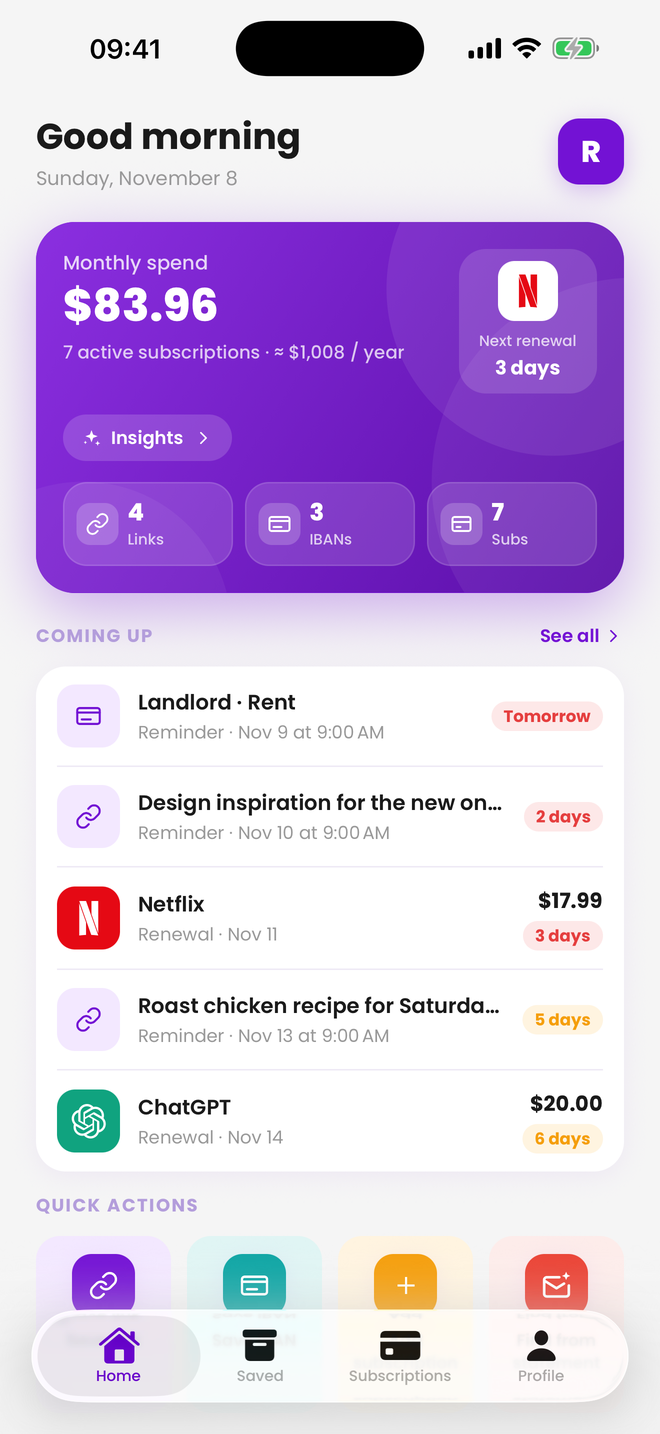
Pick from 80+ services like Netflix, Spotify and iCloud+, or add your own. Or paste a statement and let Renoa find them.
- 2
Get reminded before you pay
A notification arrives before each renewal, so there’s time to cancel what you don’t use.
- 3
See the total
Your monthly and yearly total in one number. Subscriptions in other currencies are converted at current rates.
Everything tracking needs.
Simple, fast, and entirely on your phone.
80+ services
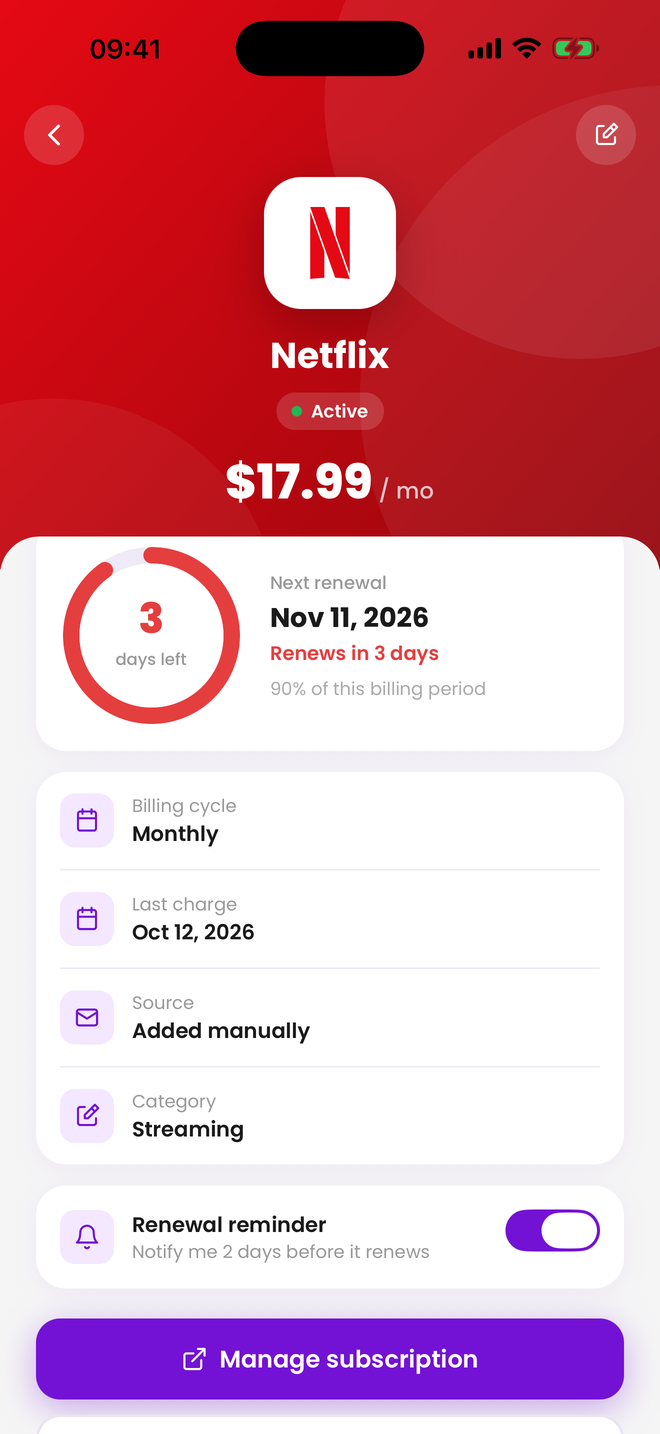
Netflix, YouTube Premium, ChatGPT, PlayStation Plus, Microsoft 365, Canal+, MUBI and more, with logos. Anything missing? Add it yourself.
Renewal dates
See what renews when, in date order, so no charge comes as a surprise.
Reminders before payment
A notification before every renewal: 2 days ahead on the free plan, or 1, 2, 3 or 7 days with Pro.
Monthly and yearly totals
One number for everything you pay. Subscriptions in other currencies are converted at current rates.
Find from a statement New in 1.1
Paste the text of a card statement, a charge SMS or a receipt e-mail, and Renoa finds the recurring charges on your phone.
Links and IBANs
Keep the links you mean to revisit and the IBANs you send money to. Copy with one tap.
Privacy
Your data stays on your iPhone.
There’s no account to create and no bank to connect. Your list lives on your phone and nowhere else.
Read the privacy policy- No accountNo e-mail, no password, no sign-up. Open it and go.
- No serversYour data never reaches us, so there’s no copy for anyone to see.
- No analyticsNo tracking tools and no ad SDKs.
- No bank loginStatement import reads the text you paste on the phone. Nothing is uploaded.
Renoa Pro
Start free. Go Pro if you need more.
The free plan is enough for most people. If you track more, Pro removes the limits.
| Feature | Free | Pro |
|---|---|---|
| Subscriptions | 5 | Unlimited |
| Saved links and IBANs | 20 | Unlimited |
| Payment reminder | 2 days before | 1, 2, 3 or 7 days before |
| Monthly and yearly totals, currency conversion | Included | Included |
| Find from a statement | Included | Included |
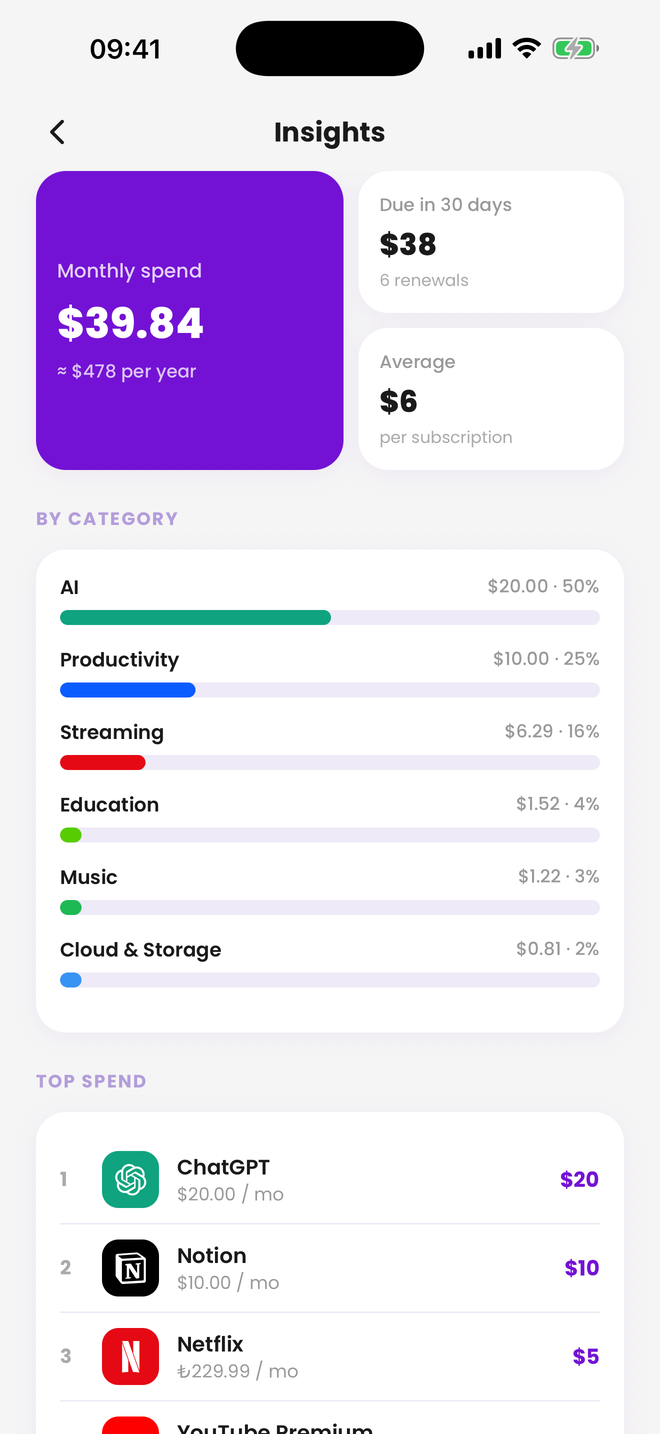
| Spending insights | Not included | Included |
| CSV export | Not included | Included |
Renoa Pro is monthly or yearly; the yearly plan starts with a 1-week free trial. You’ll see the current price in the App Store, and you can cancel any time in your iPhone’s Settings.
Frequently asked questions
Is Renoa free?
Yes. The free plan tracks 5 subscriptions and 20 saved items (links or IBANs) and reminds you 2 days before each payment. Renoa Pro adds unlimited tracking, your choice of reminder timing (1, 2, 3 or 7 days before), spending insights and CSV export. Pro is monthly or yearly; the yearly plan starts with a free week.
Do I need to connect my bank or card?
No. Renoa never connects to your bank, your card or your e-mail. You add subscriptions from the catalog, by hand, or by pasting the text of a statement.
Where is my data stored?
Only on your iPhone. Renoa has no accounts, no servers and no analytics, so your data never reaches us. Deleting the app deletes the data. Details are in the privacy policy.
How does “Find from a statement” work?
In your bank’s app, open the last 2–3 months of card transactions or your PDF statement, copy the text and paste it into Renoa. Charge SMS and Apple or Google receipt e-mails work too. Renoa spots the recurring charges and fills in the amount and the next renewal date; you choose what gets added. The text is read on your phone and is not saved or sent anywhere. The feature is in Renoa 1.1 and later.
Which services does it know?
More than 80: Netflix, Spotify, YouTube Premium, Disney+, Amazon Prime, iCloud+, ChatGPT, PlayStation Plus and Microsoft 365, plus regional services such as Canal+, RTL+, Videoland, Movistar Plus+, Globoplay, MUBI, Turkcell and Basic-Fit. You can add anything else yourself with its name, amount and billing cycle.
Is there an Android version?
Not yet. Renoa is iPhone-only for now (iOS 15.1 or later).
How do I cancel Renoa Pro?
On your iPhone, open Settings → your name (Apple Account) → Subscriptions → Renoa → Cancel Subscription. In Renoa, Profile → Manage subscription opens the same screen. Cancel at least 24 hours before the period ends to avoid the next charge; Pro stays active until then. Deleting the app does not cancel the subscription.
How do I get support?
E-mail [email protected] or see the support page. I usually reply within 1–2 business days.
Be ready for the next payment.
Download Renoa, add your subscriptions, and let the reminders do the rest.
Curious first? Add up what your subscriptions cost a year.
Available in 9 languages: English, Turkish, German, French, Spanish, Portuguese, Italian, Dutch and Polish.